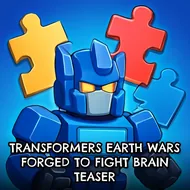
Transformers Earth Wars Forged To Fight Brain Teaser
Instructions:
Mouse or touch control -Work on all html5 browser and mobile -You can replace the images for other lookDescription
Transformers Earth Wars Forged To Fight Brain Teaser Player Reviews and Tips
Pro-Level Advice
Most people jump into this thinking it's just a reskinned match-tile game with robots slapped on top, and yeah, kinda, but the piece placement actually matters more than it first appears. Slow down on the middle levels instead of clicking wherever there's an open slot. Scan the board before you commit to a move, because a rushed swap early on can lock you out of a clean combo two or three moves later. Mouse users get a slight edge on precision compared to touch, especially on smaller phone screens where the pieces bunch up close together, so if you're playing on mobile, zoom in when things get cramped. Also, don't ignore the corners of the grid; a lot of newer players fixate on the center and leave easy matches sitting untouched on the edges.
The difficulty ramps up gradually across all 20 stages, so nobody gets thrown into the deep end right away. Early levels are basically warm-ups, teaching you the swap mechanics without much pressure, but by the later stages the layouts get denser and the margin for error shrinks fast. There's no deep story here beyond the Transformers branding and some celebratory fireworks after each cleared level, but that's fine, the puzzle-solving carries the whole thing on its own.
Standout Features
The presentation leans harder into spectacle than you'd expect from a browser puzzle title. Explosions, sparks, and little fire effects punch up every completed level, and the music keeps a steady energy without getting repetitive too quickly. Clearing all 20 regular stages unlocks a bonus round and a separate prize level, both clearly built as a reward for sticking with it rather than a random afterthought. It runs fine in any HTML5 browser and translates well to touchscreens, no weird control lag that I noticed. There's even an option to swap out the images for a different look, which is a small touch but a nice one if you want the puzzle grid to feel less repetitive after a few playthroughs.